INCIDENT RESPONSE

Incident Response Competition Mode

Read cases, analyze evidence, work in your team environment, and save response reports in one workspace. Verification, runtime, and reporting follow event rules.
Investigation Repair verification Response report
INCIDENT RESPONSE

Investigate, remediate, and document the response

Read cases, analyze evidence, work in your team environment, and save response reports in one workspace. Verification, runtime, and reporting follow event rules.

Investigation
Instructions, evidence, and answer checkpoints
Repair verification
Manual, periodic, or combined checks
Environment access
Browser terminal and case-enabled SSH / VPN
Response reporting
Body text, attachments, and version history
Use cases
Investigation assessmentEnterprise response practiceUniversity case labs
Read illustrated release notes
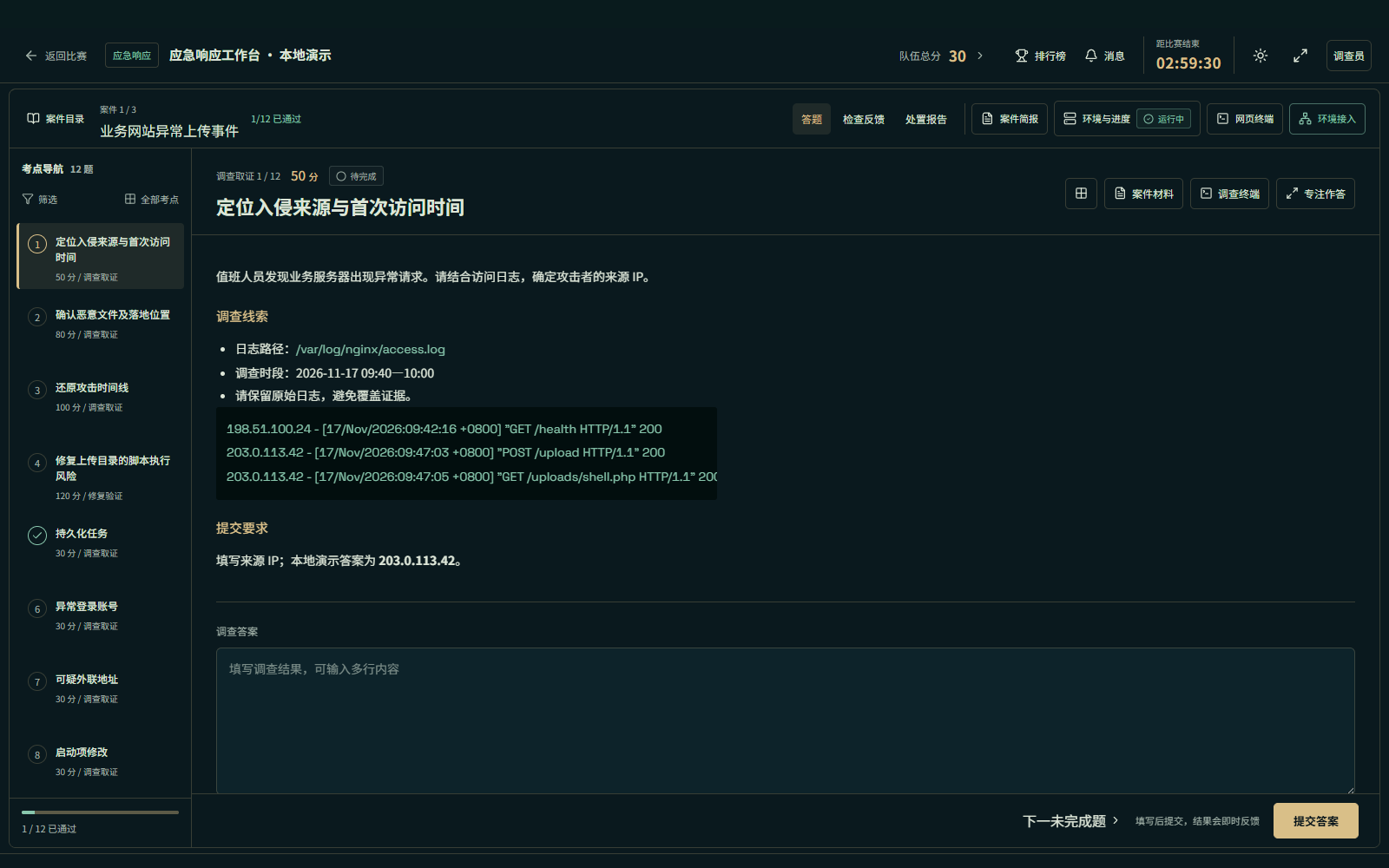
Incident response workspace with case details, checkpoint navigation, question, and answer area.
Actual participant interface with local client-v2 mock data, shown in Simplified Chinese. Select to view the original.
CASE WORKFLOW

Three steps for case response

Workflow and scoring requirements follow case, stage, and event policies.

01

Investigate

Read case materials, analyze evidence, and submit answers.

02

Verify repairs

Remediate your team's environment and verify the result.

03

Report

Document the response, attach evidence, and save report versions.

ENVIRONMENT ACCESS

Use browser or local tools

Environment-based cases provide isolated Linux environments. Local access requires SSH-enabled cases, compatible images and nodes, an open case, and a running environment.
Browser terminal
Investigate and remediate in the browser
SSH / VPN
Register a public key and download WireGuard configuration
File transfer
SFTP, SCP, and WinSCP
Lifecycle
Start, stop, restart, and policy-controlled resets
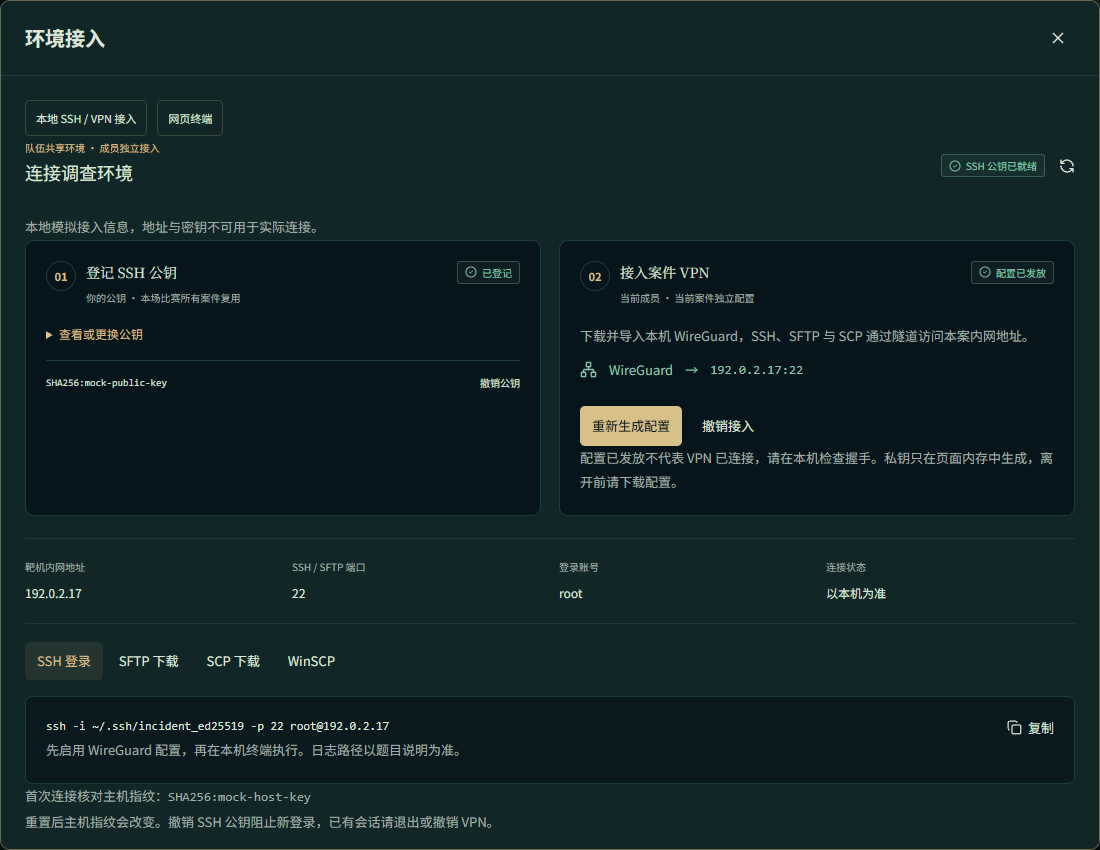
SSH public key, VPN status, and connection commands.
Actual participant interface with local client-v2 mock data, shown in Simplified Chinese. Select to view the original.
ORGANIZER SETTINGS

Configure cases and policies for your event

Case materials

Instructions, references, and investigation checkpoints.

Environment limits

Resources, runtime, concurrency, and reset policies.

Verification

Manual or periodic checks, attempts, cooldowns, and feedback.

Reports

Required or optional, formats, size, and deadlines.

FAQ

Incident response questions

What does incident response assess?
Case-based investigation, remediation, and reporting. Participants analyze evidence, submit findings, verify repairs, and save reports under event rules. Cases may be evidence-only or provide online environments.
Does every case support local SSH?
Local SSH / VPN requires an SSH-enabled case, compatible image and node support, an open case, and a running environment. Browser terminals offer in-page access; evidence-only cases do not require an environment.
How are verification and reports limited?
Organizers configure manual, periodic, or combined checks, attempt limits, cooldowns, feedback scope, report formats, and deadlines. Restarting retains modifications but disconnects sessions; resetting clears modifications. Download important evidence.

Bring incident response to your event

Plan case design, networking, deployment, and assessment requirements.